Starting a mobile detailing business
You bring the work. The rest is set up.
A booking page customers can request a time on, estimates and invoices with your name on them, card payments with no card reader, and your schedule, in one iPhone app. Set it up once, then share your booking link.
Pick Auto detailing when you sign up. Also on Google Play.
14-day free trial. Every feature. No card needed to start.
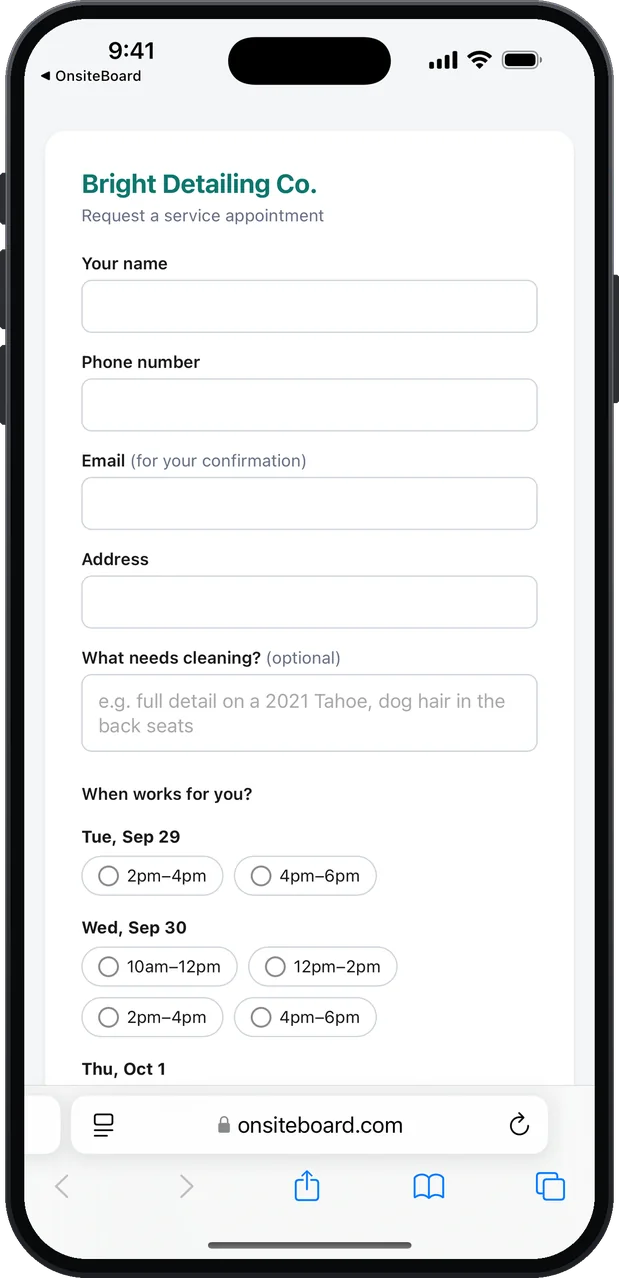
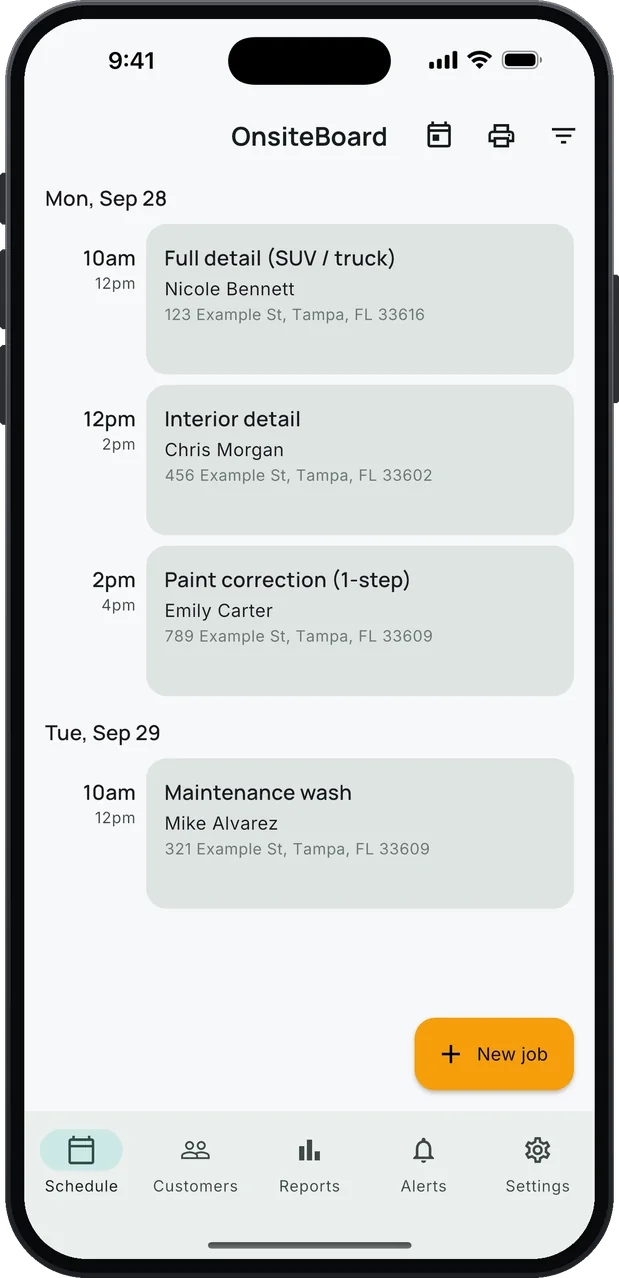
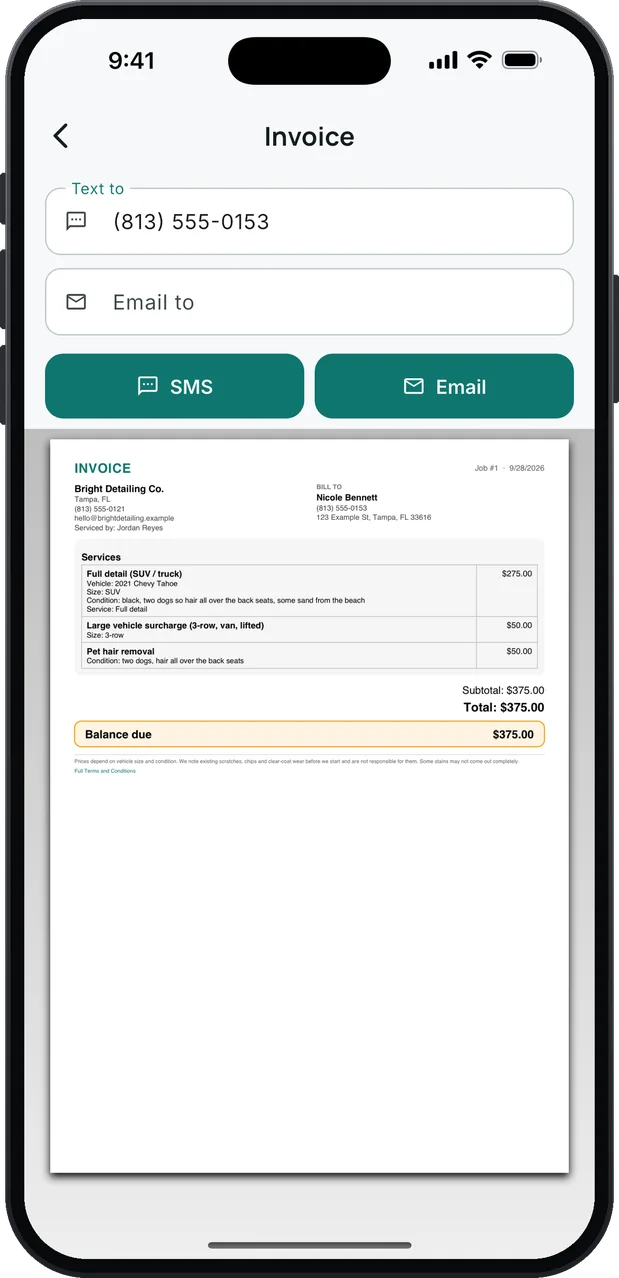
- Your own booking link
- Services with starting prices
- Estimates and invoices
- Card payments, no reader
- Schedule in time windows
- One-tap payment reminders
Getting set up, step by step.
No website to build, no invoice template to design, no payment company to shop for.
- Download OnsiteBoard and sign up with your email, or with Apple or Google. The 14-day trial starts with every feature on and no card.
- Pick Auto detailing. You get a starting list of the services mobile detailing customers ask for, each with a starting price. Change the prices to yours, rename anything, delete what you don't do.
- Add your business. Your business name, phone and email go on every estimate and invoice. Add your own payment terms if you have them.
- Connect Stripe for card payments. From Settings, inside the app. Stripe may ask to verify your identity. Payouts go to your bank. Stripe's card processing fee applies; OnsiteBoard adds no fee of its own.
- Set your arrival windows. Say 8–10, 10–12, 1–3. Your booking page offers only those windows, and only when you're free.
- Copy your booking link. Settings → Your online booking link. That link is your storefront. The next section is where to put it.
Put your booking link everywhere customers look.
Every account comes with its own booking page. Customers send a booking request for a window you're free, and you confirm it with one tap.
- Your Google Business Profile. Use it as the booking or website link, so people who find you on Google Maps can request a time.
- Facebook and Instagram. The Book button on your Facebook page, the link in your Instagram bio, and your posts.
- Nextdoor, Yelp and local groups. Wherever neighbors ask "who do you use?", answer with the link.
- Flyers, door hangers, your truck. Turn the link into a QR code with any free QR code maker and print it.
- Your text messages. When someone asks for a price or a time, send the link and let them pick a window.
- A website, if you have one. One line of code puts a Book online button on it.
<a href="https://onsiteboard.com/book/your-link">Book online</a>
Copy your own link from Settings → Your online booking link.
Advertise straight to your booking page.
When you're ready to spend on ads, you don't need a website first. Point the ad at your booking link: people who tap it see your open windows and send a request, and it lands in the app for you to confirm.
Facebook and Instagram ads.
Use your booking link as the ad's website link and set the audience to your service area. The request comes in with the customer's name, phone, address and what they need done.
Nextdoor, local papers, mailers.
Anything that can carry a link or a QR code can send people to the same page. One page, every channel, and every request shows up in the same place.
From request to paid, on your phone.
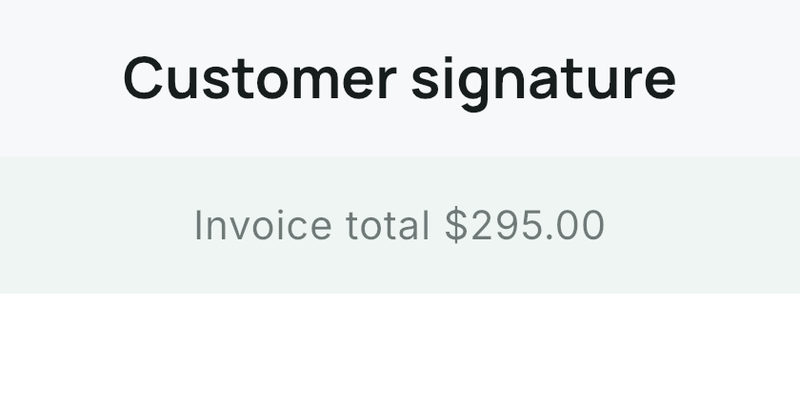
Text the invoice. The customer opens it, signs it, tips, and pays by card. No app on their side. No card reader on yours.
- Confirm the request. Tap Confirm booking and it's on your schedule in the window they picked. If they left an email, they get a confirmation.
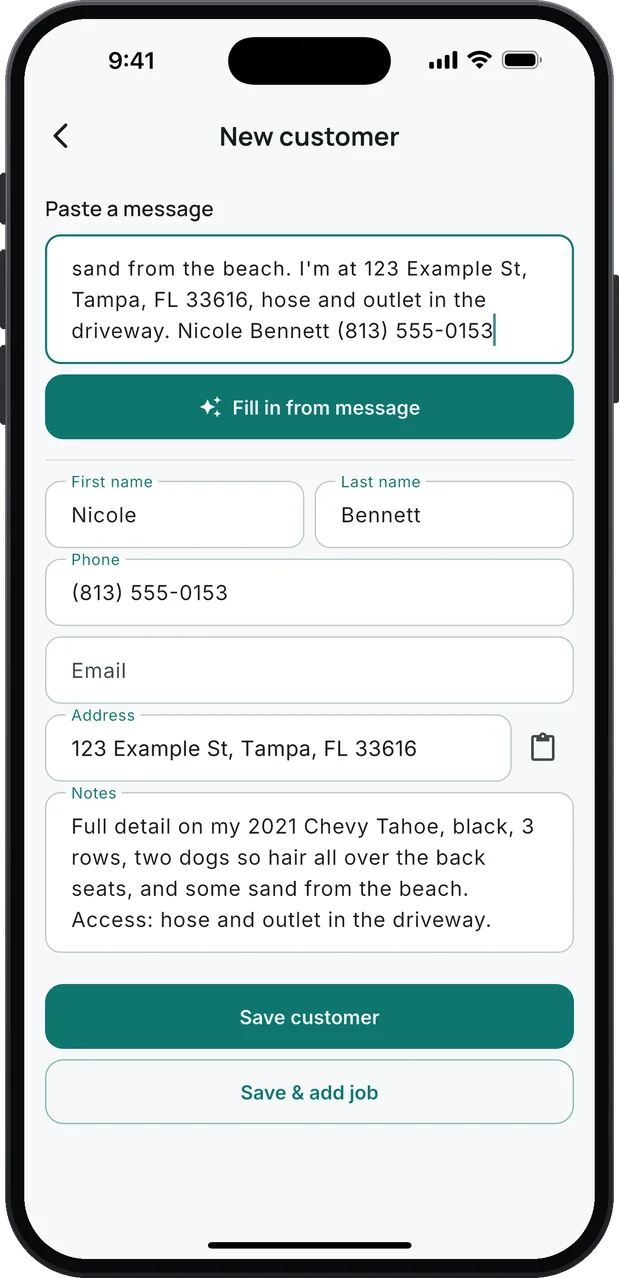
- A text becomes the customer. Someone texted instead? Paste the message and tap Fill in from message: name, phone, address and the job, for you to check and save.
- Estimates that look professional. Pick services from your list, and the customer gets a link with every line and the total. They can sign to approve right on the page.
- Deposits on bigger jobs. Ask for a deposit on the estimate. The customer pays it by card from the link, and it counts toward the final invoice.
- Paid before you pack up. The invoice link takes the balance by card through Stripe, with an optional tip. OnsiteBoard takes nothing from your tip.
- Still unpaid? Remind in one tap. A text with the amount and the invoice link, ready to send.
- Know where you stand. Reports show what's been paid and what's still owed.
What you don't have to figure out.
Everything it does for auto detailing: see the full tour.
- A website to take bookings
- An estimate and invoice template
- A card reader and a payment app
- A price list to start from
- A calendar for your jobs
- A spreadsheet of customers
- Chasing unpaid invoices by hand
- Retyping what customers text you
Working out what to charge? Try the free detailing quote calculator.
One plan. Every feature.
Try all of it free for 14 days. No card needed to start.
or $479.00 a year (about $39.92/mo). Save about $120 a year with the yearly plan, compared with paying monthly.
- Online booking, signatures and payment reminders are in the one plan. No add-ons, no higher tier.
- 14 days free, no card to start
- iPhone, Android and the browser dashboard, one account
- Cancel anytime in App Store settings
Billed through the App Store; renews until you cancel. After the trial, without a plan, your jobs, customers and invoices stay viewable and exportable. Creating new work and sending documents by email from OnsiteBoard need a plan. Stripe's card processing fees are separate.
Questions people ask before they start
Do I need a website?
Do I need a card reader?
Which trades does it work for?
Are the prices set for me?
Can customers book any time they want?
What if a customer texts or calls instead?
Can I cash-and-check it too?
What about Android?
What happens after the trial?
Set it up. Share your link.
Download OnsiteBoard, pick Auto detailing, set your prices and windows, and put your booking link out there. 14 days free, every feature, no card to start.
Also on Google Play.